Servio.
Less terminal juggling. More building.
A desktop command center for local server processes. Start, monitor, and restart your development services from one considered workspace.
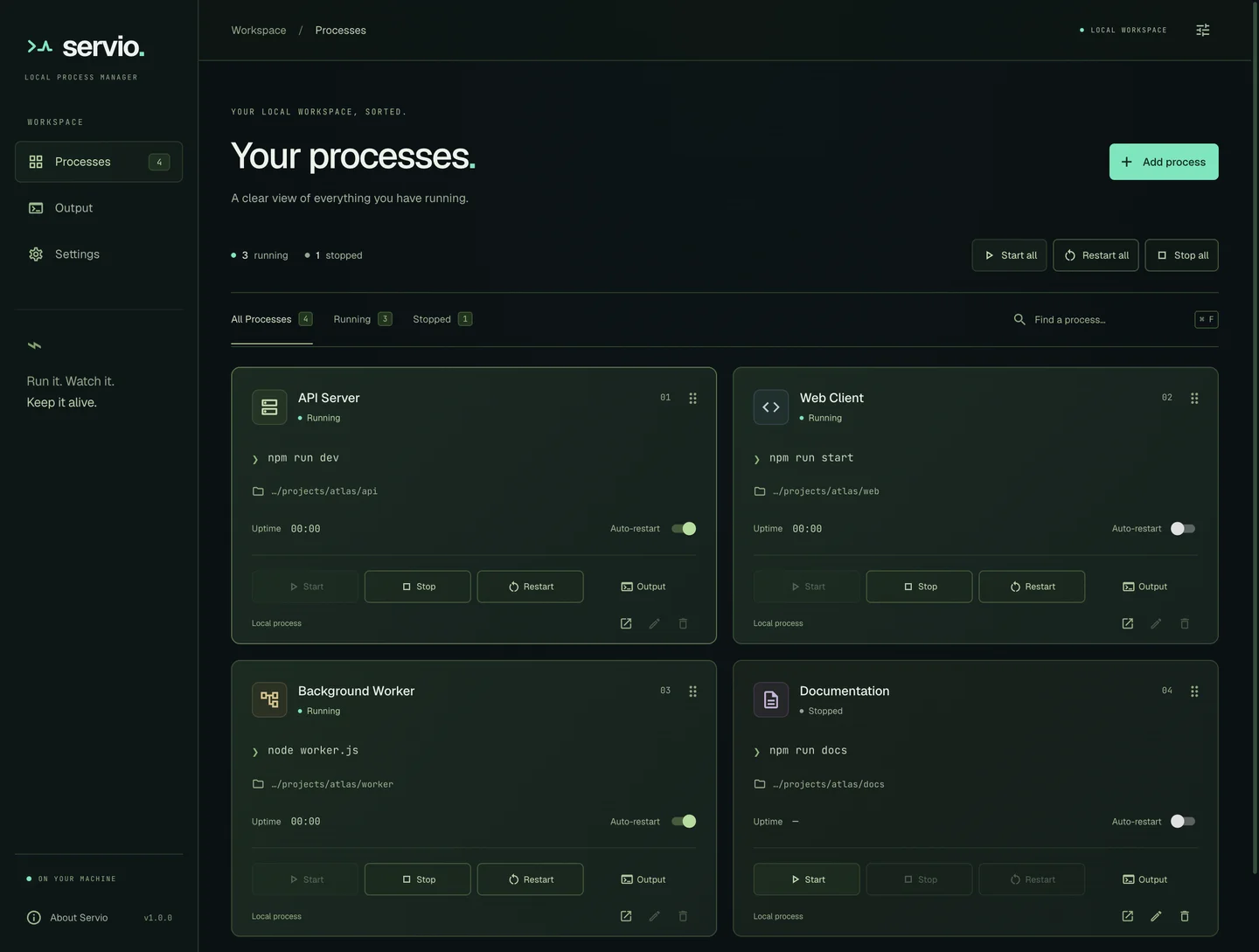 ELECTRON DESKTOP / REAL PRODUCT CAPTURE
What it does.
- Start, stop and restart multiple processes
- Automatic restart with a configurable delay
- Desktop notifications and tray controls
- Dedicated process output workspace
The problem.
A development workspace can depend on several long-running commands. Managing those commands across terminal windows makes process state and restart behavior harder to follow.
The solution.
Servio gives local processes a desktop workspace with explicit lifecycle actions, output inspection, search, filters and tray access.
Product experience.
Configure a process, start it from the workspace, and inspect its output in a dedicated view. Set restart delays, receive state notifications, and use tray controls when the main window is out of the way.
Engineering decisions.
React handles the renderer while Electron owns process execution. A restart first waits for the command to stop, then waits for the configured delay. Explicit stop actions cancel pending restarts.
Challenges & trade-offs.
A process manager needs predictable cancellation and cleanup, not just a start button. Servio is a local desktop application; it is not a hosted cloud deployment control plane.
Clear boundaries.
Connected parts.
- 01React renderer
- 02Restricted preload bridge
- 03Electron main process
- 04Child process lifecycle
The honest edges.
The website is separate from the desktop runtime. The supplied public domain had a TLS hostname mismatch during this audit; desktop source remains available.
Capabilities are grounded in repository documentation and implementation. No adoption figures or performance improvements are inferred.